
Party Rental Packages: One Price, and the Inventory Still Counts
Group chairs, tables, and a bounce house into one rental. The customer pays the package price. The items inside keep their own stock.
Updated:
Table of Contents
Party rental items are often rented together. A bounce house goes out with chairs and tables. Selling those as separate products makes the customer add each one, and it makes the price a pile of small charges. A package is one product with one price, built from products you already have.
The useful part is the inventory. The chairs and tables keep their own counts. A package that includes 20 tables uses 20 of the table inventory. A later booking for the table by itself sees those 20 as already reserved.
The steps to build one are in Create a package. The demo is here: party rental packages and overbooking.
Customers see what is included
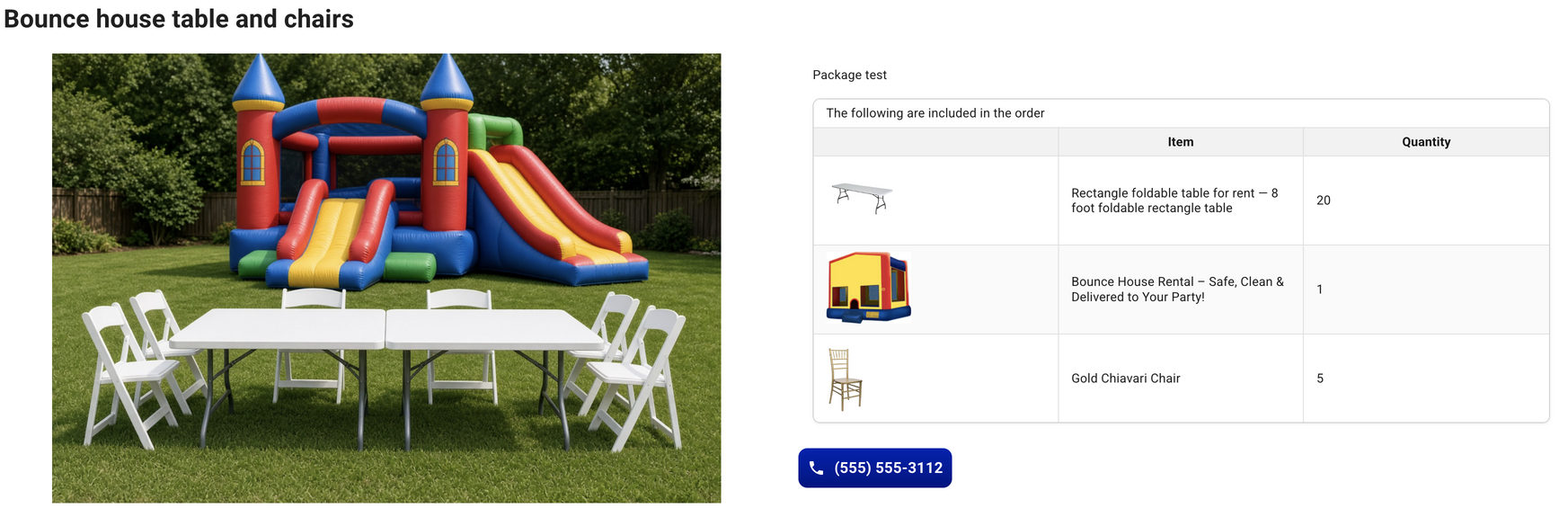
A package price is easier to book when the page shows the contents. The package table on the product page lists each item with a photo, the name, and the quantity. The title across the table is The following are included in the order. A variant uses that variant’s photo when it has one, and the product photo otherwise.
That table is what the customer reads before they book. The button that inserts it is in step 5 of the package doc.
The job shows what was reserved
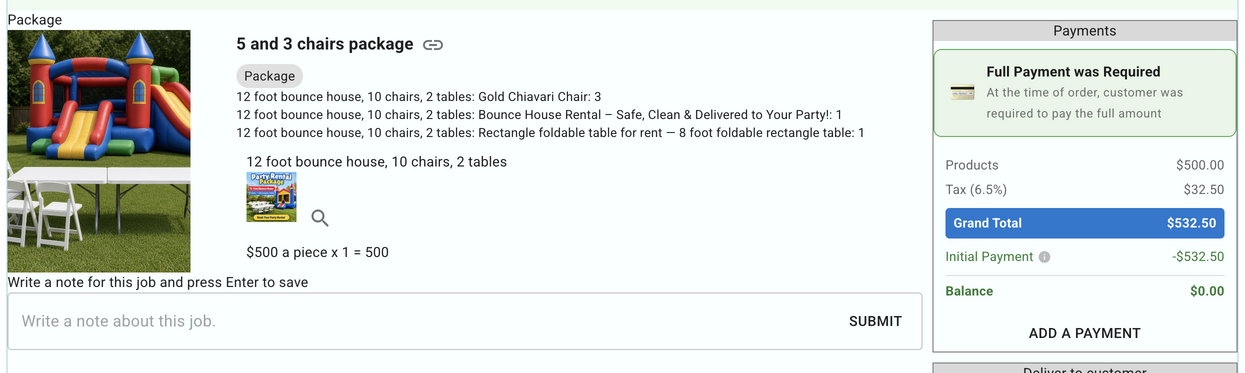
After the booking, the jobs list shows the package and the items that were reserved. Each line has the product name, the variant name when there is one, and the quantity. A day job keeps those quantities for the dates on that job, so you can see that a package used 20 tables from November 20 to November 21.
The items inside still count
The package’s own inventory number is not the stock check. The booking checks each item inside it. If the package includes 20 tables and the table inventory is 30, one job can use that date range. A second job on those dates needs another 20 tables, so it is stopped.
The same count applies when someone books the table by itself. If 29 tables are already reserved on a date, including tables that went out inside a package, and 30 are in inventory, only 1 more table can be booked that day.
A several-day rental reserves that quantity for the dates. It does not multiply the chairs and tables by the number of days. On a price-table option, the quantity the customer types does multiply every item in that option. Turning the check on is step 7 in the package doc.
Two packages on one page
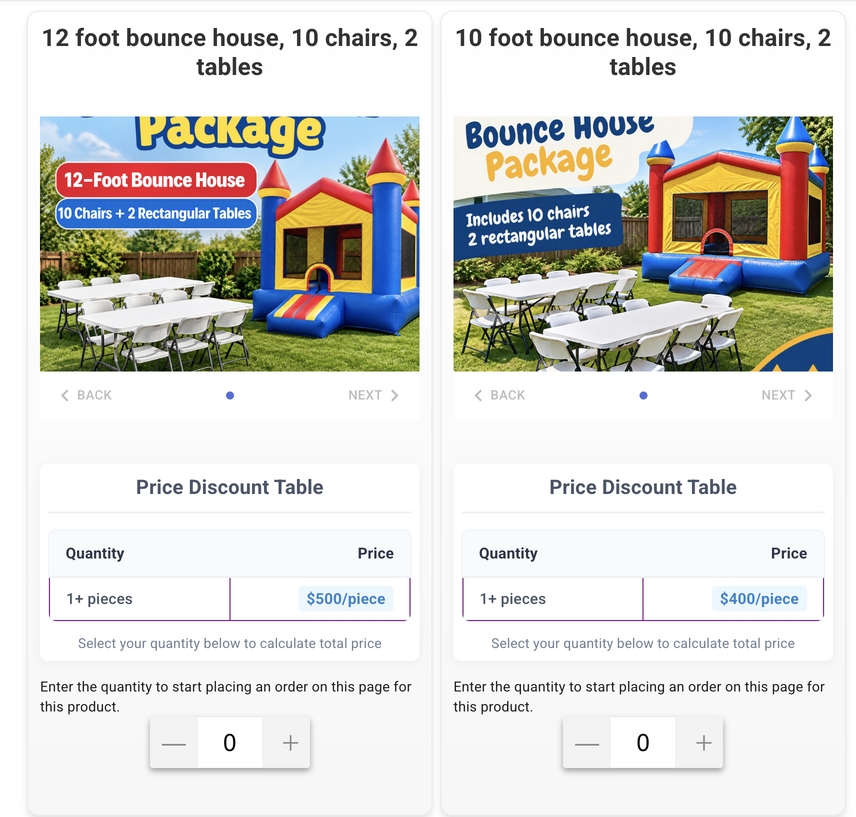
One product page can offer more than one package. Each option has its own list of items. A 12 foot bounce house can include 10 chairs and 2 tables. The option beside it can be a 10 foot bounce house with the same chairs and tables. The customer compares them on one page and picks one. You keep one product to edit, and each option still reserves its own bounce house, chairs, and tables.
What can go in a package
A package is built from regular products. A chair that is already inside a package stays a chair. It can still be booked on its own, and those bookings count, and it cannot become a second package until it is removed from the first one.
A package cannot contain another package. The bounce house package can include the bounce house, the chairs, and the tables. It cannot include a second package that already groups those items.
Frequently asked questions
Does the package price include the price of the chairs and tables?
The package keeps its own price. The prices of the products inside it are not added on. A bounce house package can be one daily rate even when it includes chairs and tables.
Which inventory number does a booking check?
The booking checks the inventory of each item in the package. Once those items are added, the package product’s own inventory number is not the stock check. Twenty tables inside a package use twenty of the table’s inventory.
Can a product that is already in a package become a package?
A regular product that is already inside a package stays a regular product. Remove it from that package before giving it package items.
Can I put one package inside another package?
The search only offers regular products. A package cannot be added to another package.
Where are the steps to build one?
The create-page button, adding items, the package table, and the overbooking switch are in the Create a package doc.
Related
RentalSetup
The easiest way to build your rental business website. Get started for free.
Legal
Privacy Policy© 2026 RentalSetup. All rights reserved.